Week 7
Milestones
- Plan out the structure of the codebase for Doc-Gen with respect to the OpenAPI Specification.
- Start writing functionality in Doc-Gen using this npm package.
Approach
Now that we have successfully installed our npm package in Doc-Gen we can start writing the functionality in Doc-Gen using this npm package.
Here are the API specs: specs
Now we can start writing the functionality in Doc-Gen using the RenderService.
Generator API
We can split it into two parts here Realtime Render & Batch Processing
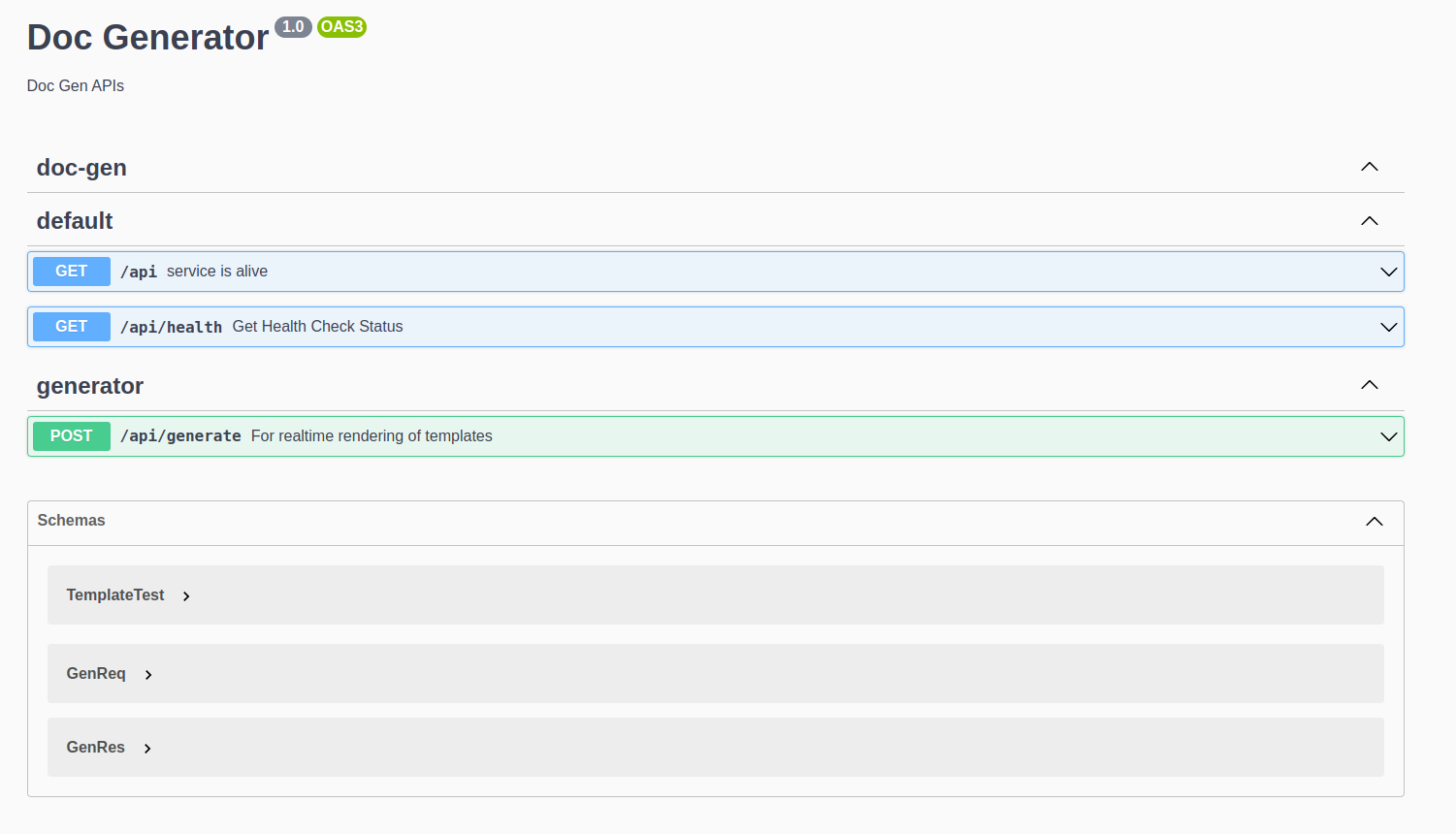
For this week i've implemented the Realtime Render endpoint using the new RenderService, along with proper Swagger Documentation i've added screenshots of the Documentation below.
User API
We need to implement an OAuth Flow using a Auth provider for now i'll be using Google Cloud as the Provider. Here is a discussion on the topic i'll be referring to and working on: Github
Screenshots / Videos
Here is the endpoint
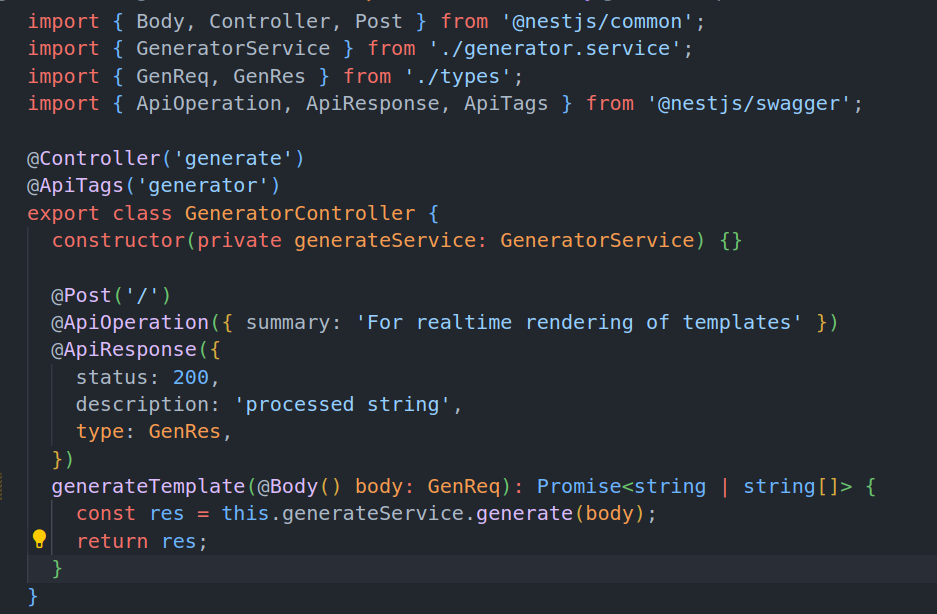
Below is the proper Swagger Documentation
Contributions
Here is the link to the PR: PR
Learnings
- How to install a seperate npm package in Doc-Gen as a tarball file.
- Creating a separate Nest Module with required dependencies which can easily be injected and used.
Next Steps
- Plan out and implement the structure of the Batch Processing using RabbitMQ.
- Plan out and implement User Flow.